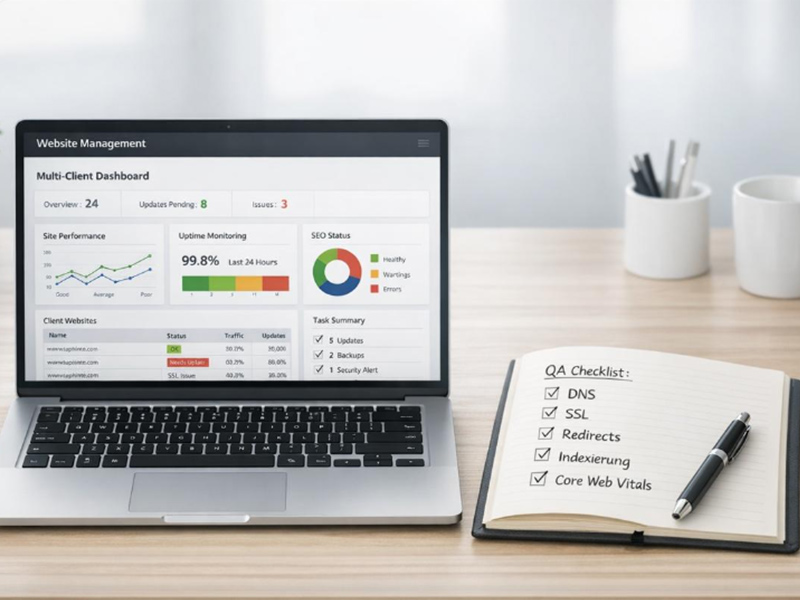
A website is not a one-time project. Plugins need updates, backups need testing and content needs refreshing. This website maintenance checklist gives you clear weekly, monthly, quarterly and yearly tasks, plus a free template you can copy. It works for WordPress sites and most other business websites.
Why Website Maintenance Matters
Skipping maintenance leads to slow pages, broken forms, security risks and lost rankings. In fact, many hacked small business websites are simply running outdated plugins or themes. Regular care keeps your site safe, fast and ready to convert visitors into enquiries. To understand budgets, see our guide on website maintenance cost in India.
Weekly Tasks
- Check that the homepage and key pages load correctly on mobile.
- Submit a test enquiry through every contact form.
- Confirm that automatic backups ran successfully.
- Review security alerts and failed login attempts.
- Reply to new comments and remove spam.
Monthly Website Maintenance Checklist
- Update software: WordPress core, themes and plugins, after taking a backup.
- Remove unused plugins: every extra plugin adds risk and weight.
- Check speed: run your main pages through PageSpeed Insights.
- Scan for malware: use a security plugin or your hosting scanner.
- Fix broken links: check internal and external links.
- Review Search Console: look for indexing errors in Google Search Console.
- Check analytics: traffic, top pages and form conversions.
- Update content: offers, prices, opening hours and team details.
Quarterly Tasks
- Restore a backup on a test site to make sure it actually works.
- Review user accounts and remove people who no longer need access.
- Change important passwords and check that two-factor login is on.
- Audit page titles and meta descriptions for your main pages.
- Compress large images and clean up the media library.
- Clean the database, such as old revisions and spam comments.
Yearly Tasks
- Renew the domain and SSL: set auto-renewal to avoid downtime.
- Review hosting: check speed, storage and support quality.
- Check the PHP version: outdated versions slow sites and create risks.
- Refresh design and content: update photos, testimonials and service pages.
- Legal pages: update the privacy policy and terms.
- Full SEO audit: review rankings, content and technical issues, or ask for a professional review through our SEO services.
Free Website Maintenance Checklist Template
Copy this simple template into a spreadsheet and tick each task when done.
| Frequency | Task | Owner | Done |
|---|---|---|---|
| Weekly | Test contact forms and check backups | Website manager | ☐ |
| Weekly | Review security alerts | Website manager | ☐ |
| Monthly | Update core, themes and plugins | Developer | ☐ |
| Monthly | Speed test and broken link check | Developer | ☐ |
| Monthly | Search Console and analytics review | Marketing | ☐ |
| Quarterly | Test backup restore | Developer | ☐ |
| Quarterly | Review users and passwords | Owner | ☐ |
| Yearly | Renew domain, SSL and hosting | Owner | ☐ |
| Yearly | Content refresh and SEO audit | Marketing | ☐ |
Tips to Make Your Website Maintenance Checklist Easier
- Keep backups in two places, such as hosting and cloud storage.
- Update plugins on a staging site first if your site is complex.
- Use fewer, well-supported plugins from trusted developers.
- Write down every change in a simple log.
- Follow the official WordPress documentation for core updates.
Security Checks to Add to Your Website Maintenance Checklist
Security deserves its own section, because one weak point can take a whole site offline. Add these checks to your routine:
- Strong admin passwords: use long, unique passwords and a password manager.
- Two-factor login: turn it on for every administrator account.
- Limit login attempts: block repeated failed logins to stop brute-force attacks.
- Disable file editing: stop theme and plugin files from being edited inside the dashboard.
- Keep only trusted plugins: avoid nulled or pirated themes and plugins, which often contain malware.
- Watch user roles: give staff the lowest role they need, such as Editor instead of Administrator.
For a deeper review, our website security services include malware scanning, hardening and clean-up.
Signs Your Website Needs Maintenance Now
Even with a website maintenance checklist, problems can appear between reviews. Watch for these warning signs:
- Pages take more than a few seconds to load on mobile.
- Contact forms stop sending emails.
- Google Search Console shows new errors or security issues.
- Visitors see warnings such as “Not secure” or “This site may be hacked”.
- Your dashboard shows many pending updates.
If you notice any of these, act quickly. The longer a problem stays, the more traffic and trust you lose.
DIY or Hire a Professional?
You can handle weekly checks yourself. However, updates, security and backups need technical care, because one bad update can break the site. If your website brings leads or sales, a maintenance plan is usually cheaper than fixing a hacked or broken site. For online stores, our e-commerce maintenance cost guide explains the extra tasks involved.
Final Thoughts
Use this website maintenance checklist as your routine. A few minutes every week and a short review every month keep your site secure, fast and effective. If you prefer to focus on your business, our team can take care of it through our website maintenance services.
Frequently Asked Questions
What should a website maintenance checklist include?
It should include software updates, backups, security scans, speed checks, broken link checks, form testing, Search Console reviews, content updates and yearly renewals of the domain, SSL and hosting.
How often should I update WordPress plugins?
Check for updates at least once a month and apply security updates as soon as possible. Always take a backup before updating.
How often should I back up my website?
Daily backups are best for active sites, and weekly backups are the minimum for small sites. Test a restore every few months.
Can I do website maintenance myself?
You can handle simple weekly checks. Updates, security and backups need more care, so many businesses use a professional maintenance plan.
What happens if I skip website maintenance?
Your site may become slow, insecure or broken. Outdated plugins are a common cause of hacked websites and lost search rankings.
Want us to handle your website maintenance? Call +91-9814052984 or contact Duggal Infotech today.